
Reading a Vehicle History Report Without Getting Lost
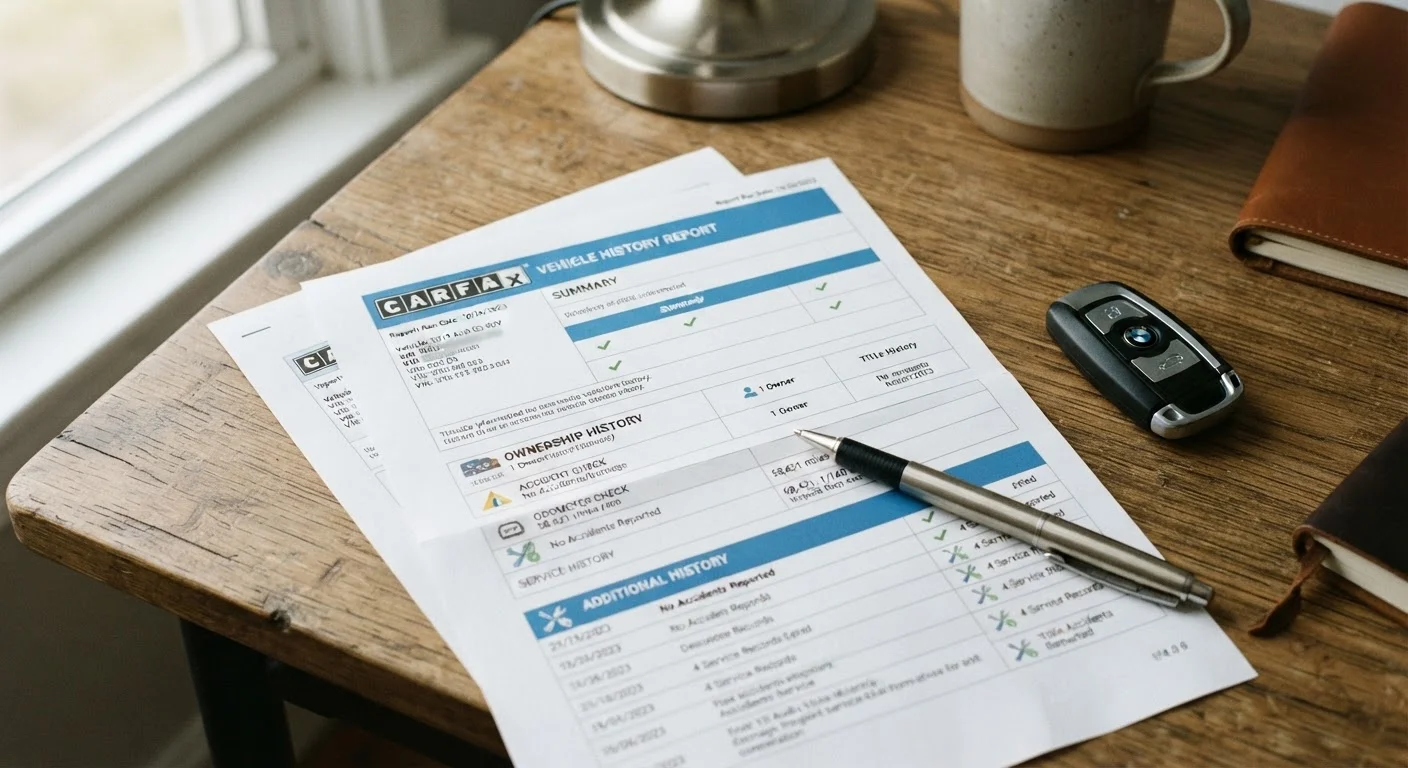
Photo credit: FaqInsider.com
In this article
Title brands, odometer flags, service gaps — here's how to interpret a vehicle history report so no red flag slips past you.
Key Takeaways
- Title brands like 'salvage' or 'rebuilt' signal serious structural or flood damage history.
- Odometer rollback flags appear when reported mileage decreases between entries.
- Service record gaps don't always mean neglect, but they warrant direct questions.
- Multiple owners in a short period can indicate unresolved mechanical problems.
- A clean history report doesn't replace a pre-purchase inspection by a qualified mechanic.
Why Vehicle History Reports Matter
Buying a used vehicle without reviewing its history is a bit like signing a lease without reading the terms. A vehicle history report compiles data from insurance companies, state DMV records, auto auctions, police agencies, and repair facilities into a single document tied to one unique vehicle. It gives you an independent view of what that car has actually been through - before the dealer's polish and the seller's optimism enter the picture.
That said, a history report is one layer of due diligence, not the whole picture. Think of it the way you might think about reviewing a credit report before a major financial decision: essential context, but not the final word. The steps below walk you through each section of a typical report so you know exactly what you're looking at and what questions to ask.
What you will need
Tools You'll Need
Before you begin, gather the following:
Vehicle History Report
Provides ownership history, title records, accident disclosures, and odometer readings for a specific VIN.
Vehicle Identification Number (VIN)
The 17-character code used to pull the vehicle's unique history record.
State DMV Title Records
Used to verify title status independently, especially when title washing is a concern.
Qualified Pre-Purchase Inspector
A licensed mechanic who performs a physical inspection to catch issues that don't appear in reports.
Reports are available through several established vehicle history services - your state DMV, many dealerships, and some insurers may also provide access. Confirm you're working from the most current report available, as databases update on a rolling basis.
A Report Is Not a Guarantee
Vehicle history reports only reflect what was officially reported to insurers, DMVs, or repair facilities. Unreported accidents, cash repairs, and out-of-state incidents may never appear. Always pair a history report with a professional pre-purchase inspection before committing to any purchase.
How to Read Each Section of the Report
Follow these steps in order. Each one targets a distinct section of a standard vehicle history report and tells you exactly what to look for and flag.
Locate the VIN and Pull the Report
Find the 17-character VIN on the lower-left corner of the windshield (visible from outside), the driver's door jamb sticker, or the vehicle's title document. Enter it into a vehicle history service to generate the report. Confirm the VIN on the report matches the physical VIN on the car - discrepancies can indicate fraud.
Review the Title History Section
The title section shows every state where the vehicle was registered and any title brands attached to it. Common brands include:
- Salvage: The insurer declared the car a total loss after an accident, flood, or theft recovery.
- Rebuilt/Reconstructed: A salvage vehicle was repaired and re-inspected to be road-legal again.
- Flood: Water intrusion damage was reported - often associated with long-term electrical and corrosion issues.
- Lemon Law Buyback: The manufacturer repurchased the vehicle under a state lemon law due to a defect.
Any brand is a serious flag requiring additional scrutiny, not necessarily a dealbreaker, but one that should be reflected significantly in price negotiations.
Check the Odometer Readings
The report logs mileage at each reporting event - registration renewals, inspections, and service visits. Read through these entries in date order. Red flags include:
- Mileage that decreases between entries (classic rollback indicator)
- Mileage that stays identical across multiple years of reported events
- Large, unexplained gaps in mileage that don't match the car's age or use pattern
Note that some gaps are legitimate - a car stored during a long illness or deployment, for example. Context matters, so ask the seller directly.
Examine the Accident and Damage History
This section lists insurance claims, police reports, and damage disclosures. Pay attention to:
- Severity codes: Reports often categorize damage as minor, moderate, or severe. Severe structural damage warrants professional assessment.
- Airbag deployment: Indicates a significant collision. Airbag replacement must be done correctly - have a mechanic verify the current airbag system.
- Number of incidents: One minor fender-bender is very different from three moderate collisions in two years.
Remember: not every accident gets reported to insurance. An absence of accidents in the report does not confirm an accident-free car.
Analyze Ownership and Use Type
The report will indicate how many owners the vehicle has had and sometimes classify prior use - personal, rental, fleet, lease, or commercial. Key considerations:
- Rental or fleet use typically means high mileage and varying maintenance quality, though some fleets maintain strict service schedules.
- Frequent ownership changes - three or more owners in under four years - may suggest recurring problems that prompted each sale.
- Single long-term owner is generally a positive indicator of consistent care.
Review the Service and Maintenance Records
When dealers or repair shops report service to the vehicle history database, those records appear here. Look for:
- Regular oil changes and scheduled maintenance intervals
- Documented repairs that correspond to the vehicle's age and mileage
- Gaps in service - extended periods with no recorded maintenance
Sparse records don't always mean neglect; many owners use independent shops that don't report to national databases. Ask the seller for paper receipts or digital records to fill in the gaps. A well-documented service history adds genuine confidence to your decision.
Cross-Check Mileage at Every Entry
As you scan the ownership and service history sections, track the odometer readings chronologically. Any entry where mileage drops or stays flat over years of reported use is a potential rollback flag worth investigating further with the seller.
After the Report: What Comes Next
A clean vehicle history report is reassuring - but it should move you toward a pre-purchase inspection, not past it. A qualified mechanic can identify worn components, frame damage, improper repairs, and fluid conditions that no database will ever capture. If a seller refuses to allow an independent inspection, treat that refusal as a red flag of its own.
Once you're confident in the mechanical condition, you'll likely face repair estimates at some point in ownership. Our guide on reading a mechanic's estimate can help you evaluate those documents with the same clarity you've applied here. For ongoing maintenance guidance, explore the car maintenance hub.
Watch Out for Title Washing
Title washing occurs when a vehicle with a branded title (salvage, flood, lemon) is re-registered in a state with looser reporting requirements to obtain a clean title. If a car has crossed multiple state registrations in a short period, verify the title status directly with your state's DMV before proceeding.

Author
Cars Editorial Team
Cars Editorial Team is the collective byline for our editorial team and contributor network. Articles published under this byline or an editorial pen name are researched, written, and reviewed according to our editorial standards for clarity, consistency, and independence before publication.
View all articles →